
Overview
Cartão DB is a free finance application designed for Android users seeking a straightforward way to manage their credit card accounts. Developed by Clube Demais, the app focuses on core card management tasks, offering users the ability to monitor their card balance, review invoice details, and generate payment slips directly from their mobile device. It enables users to update their card password and track purchase history, providing a centralized digital tool for managing rotating and installment-based transactions. The app is tailored for individuals who want to maintain control over their credit card usage without the complexity of full-fledged financial management platforms.
Target users include budget-conscious consumers, individuals managing multiple credit cards, and those who prefer a lightweight, no-frills solution for daily card oversight. Real-world scenarios include checking available credit before a purchase, verifying payment due dates, or reviewing past transactions to reconcile expenses. While the app does not offer advanced financial insights such as spending analytics or budget forecasting, it serves as a practical utility for basic card tracking and administrative tasks. The developer did not provide additional information about the company’s background or broader product portfolio.
Key Features & Capabilities
- Password Management: Users can create and modify their card’s password directly within the app, enhancing account security.
- Balance Tracking: View real-time available balance for both rotating and installment purchases, aiding in informed spending decisions.
- Invoice Overview: Access detailed invoice information, including due dates, minimum payments, and outstanding amounts.
- Payment Slip Generation: Generate and download payment slips for offline or bank-based payments.
- Transaction History: Review a chronological record of past purchases and transactions linked to the card.
- Customer Support Access: Retrieve official contact details for assistance with account-related inquiries.
These features support everyday financial tasks such as confirming payment deadlines, verifying recent spending, or preparing documentation for bank transactions. The app streamlines access to essential card information, reducing the need to log into a separate banking portal. While it lacks advanced features like transaction alerts, spending limits, or integration with budgeting tools, its functionality remains relevant for users prioritizing simplicity and direct access to core card data.
User Interface, Workflow & Performance
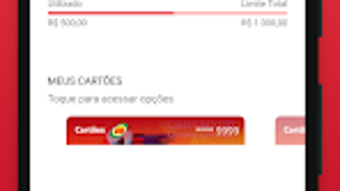
The app presents a clean, minimal interface designed for ease of navigation. Users can access key functions through a central dashboard that organizes features like balance, invoices, and transaction history. Navigation is linear and intuitive, with clearly labeled sections and straightforward icons. The workflow for tasks such as generating a payment slip or checking a balance is designed to be completed in a few taps, minimizing user effort.
Performance observations are based on general software behavior patterns. The app appears to operate smoothly during routine tasks, with no reported delays in loading data or responding to inputs. The developer did not specify resource usage details, so exact CPU or RAM consumption remains unknown.
Stability during extended use was not documented. However, the lightweight nature of the app’s functionality suggests it is unlikely to cause significant system strain on modern Android devices. The absence of complex animations or background processes further supports efficient operation.
Compatibility & System Requirements
Cartão DB is available exclusively for Android devices. The specific version number and minimum OS requirements were not provided. Installation size is not specified, though the app is described as a lightweight utility. The developer did not list hardware requirements or compatibility details beyond the platform.
Platform compatibility information is limited. Users should verify the app’s availability on their device through the Google Play Store. The absence of official system requirements means that performance may vary across devices with different hardware configurations. Exact compatibility with older or newer Android versions remains unconfirmed. Users are advised to consult the Play Store listing for the most accurate installation details.
Pros and Cons
Pros
- Free to download and use with no hidden fees
- Simple, user-friendly interface suitable for all experience levels
- Direct access to card balance, invoices, and transaction history
- Ability to generate payment slips for offline payments
- Supports password updates for enhanced account control
Cons
- Lacks real-time transaction notifications
- No built-in spending limit or budgeting tools
- Missing advanced financial tracking features
- No integration with banking or third-party financial apps
- Limited system requirements and compatibility details
FAQ Section
Is Cartão DB available for iOS devices?
Cartão DB is currently available only for Android users. There is no official version for iOS devices.
Is the app secure to use?
The app allows users to manage their card password and access sensitive financial data. While it does not specify encryption or security protocols, it is recommended to use the app on trusted devices and avoid sharing login details.
How often are updates released?
Update frequency is not publicly disclosed. Users should check the Google Play Store for the latest version and improvements.
Can I use Cartão DB offline?
Basic features like viewing saved transaction history and accessing stored invoices may work offline. However, real-time balance updates and new data retrieval require an active internet connection.
Is the license type free or paid?
Cartão DB is available for free on the Google Play Store. No subscription or in-app purchase requirements were mentioned.
Final Thoughts + CTA
Cartão DB delivers a focused, no-nonsense approach to credit card management, making it a solid choice for users who need quick access to essential card details. Its simple interface and core functionality—such as balance tracking, invoice viewing, and payment slip generation—address common daily needs without unnecessary complexity. While it lacks advanced features like transaction alerts and spending controls, it remains a practical tool for basic oversight.
Individuals managing a single credit card or those seeking a lightweight alternative to banking apps will find value in its straightforward design. The app is especially useful for users who prefer not to rely on full banking platforms for simple card administration tasks.
Download Cartão DB now







